
Marketing materials
Ready-made materials for Instagram and print, built from your card: color, logo, name, reward and the join QR code. Save them to Photos, share them or print them in a couple of taps.
The screenshots show the app in English.
Where to find them
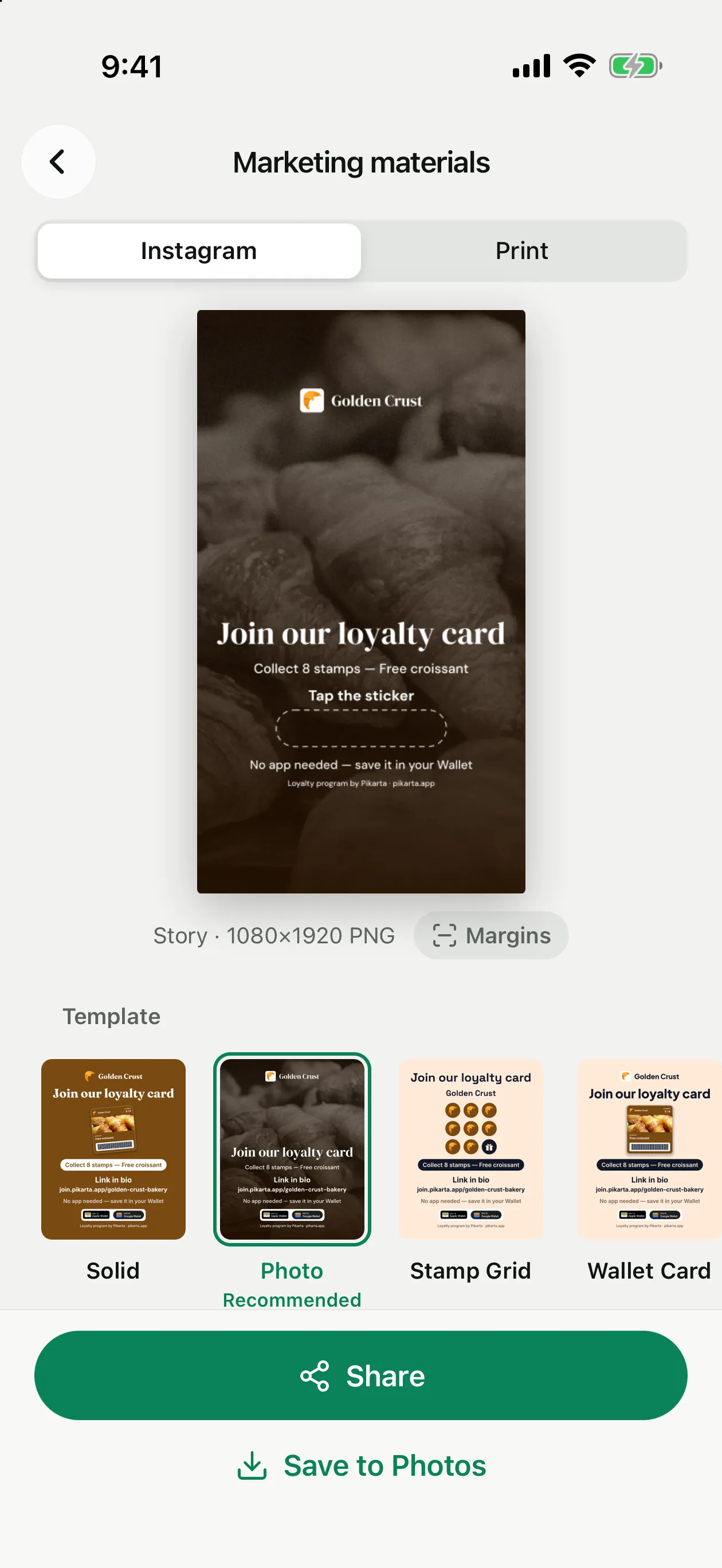
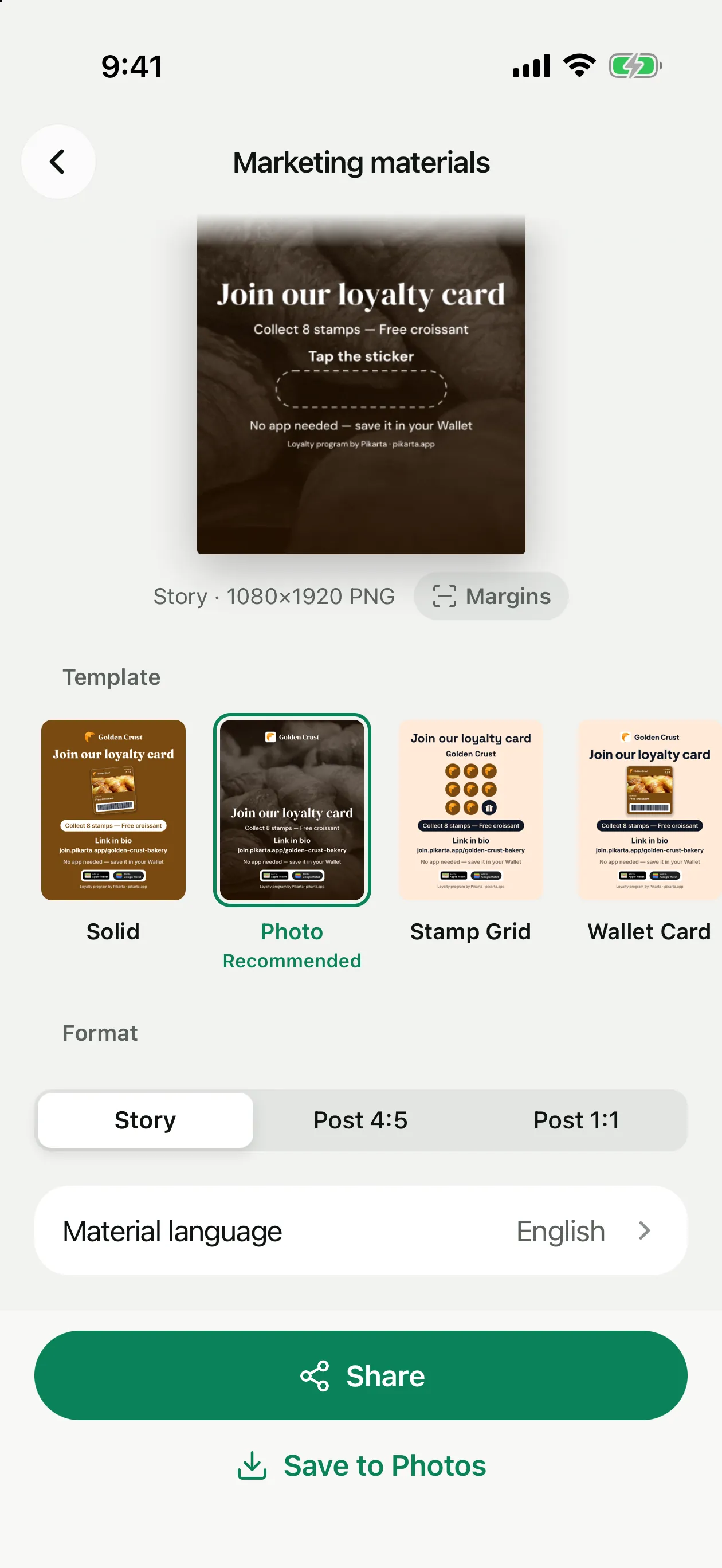
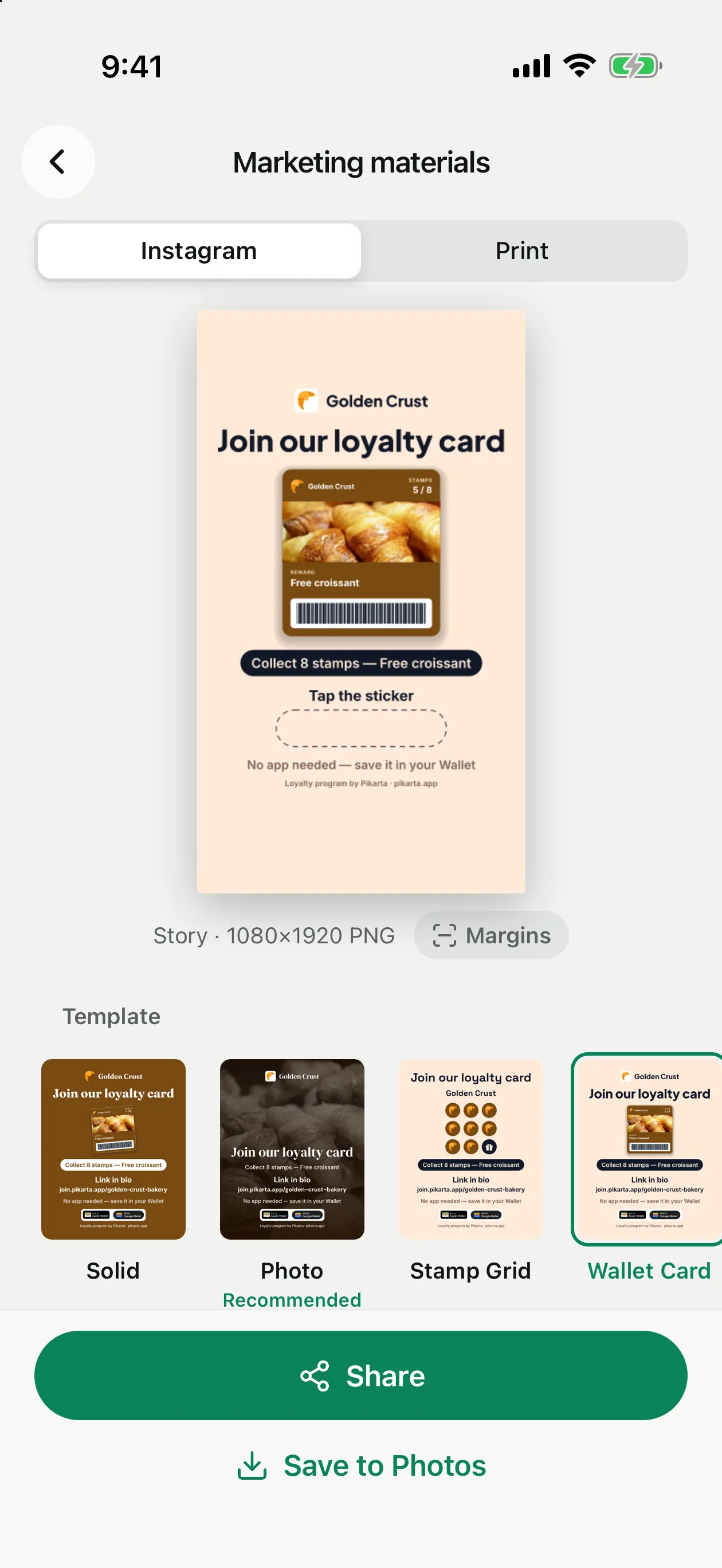
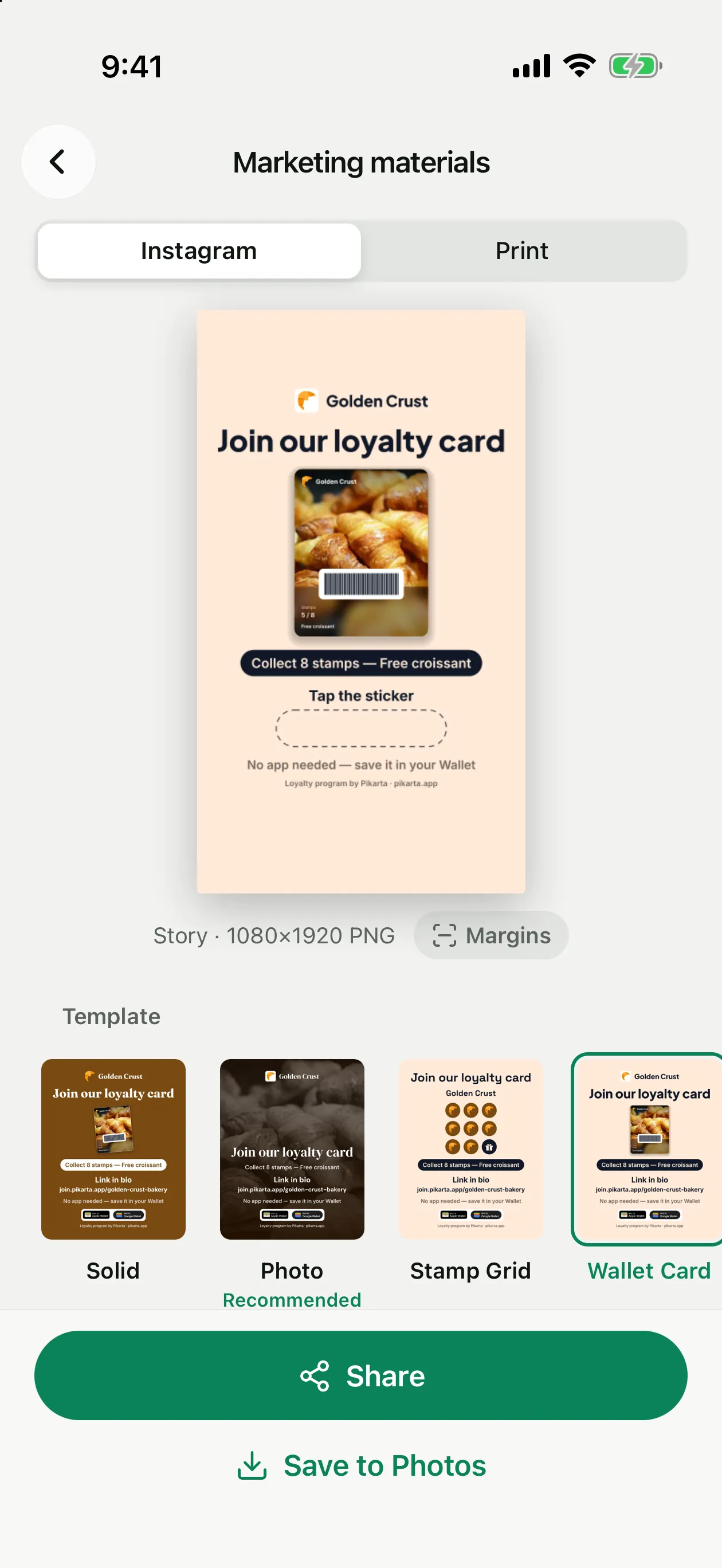
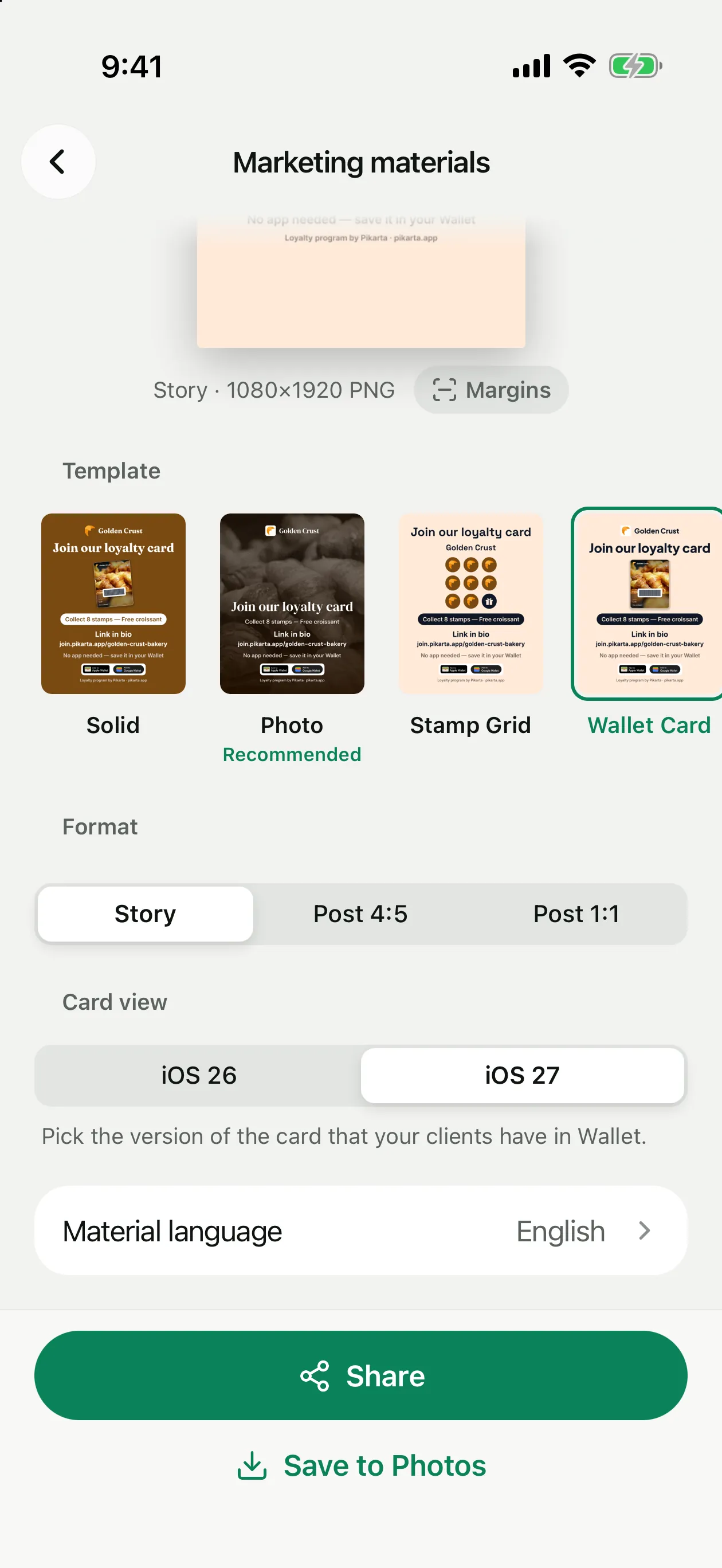
Open Settings → Marketing materials. There are two tabs, Instagram and Print. Pick a template, a format and the material language: the preview at the top updates right away.
Pick a template
Six templates; the one marked Recommended suits your card best.
Pick the format
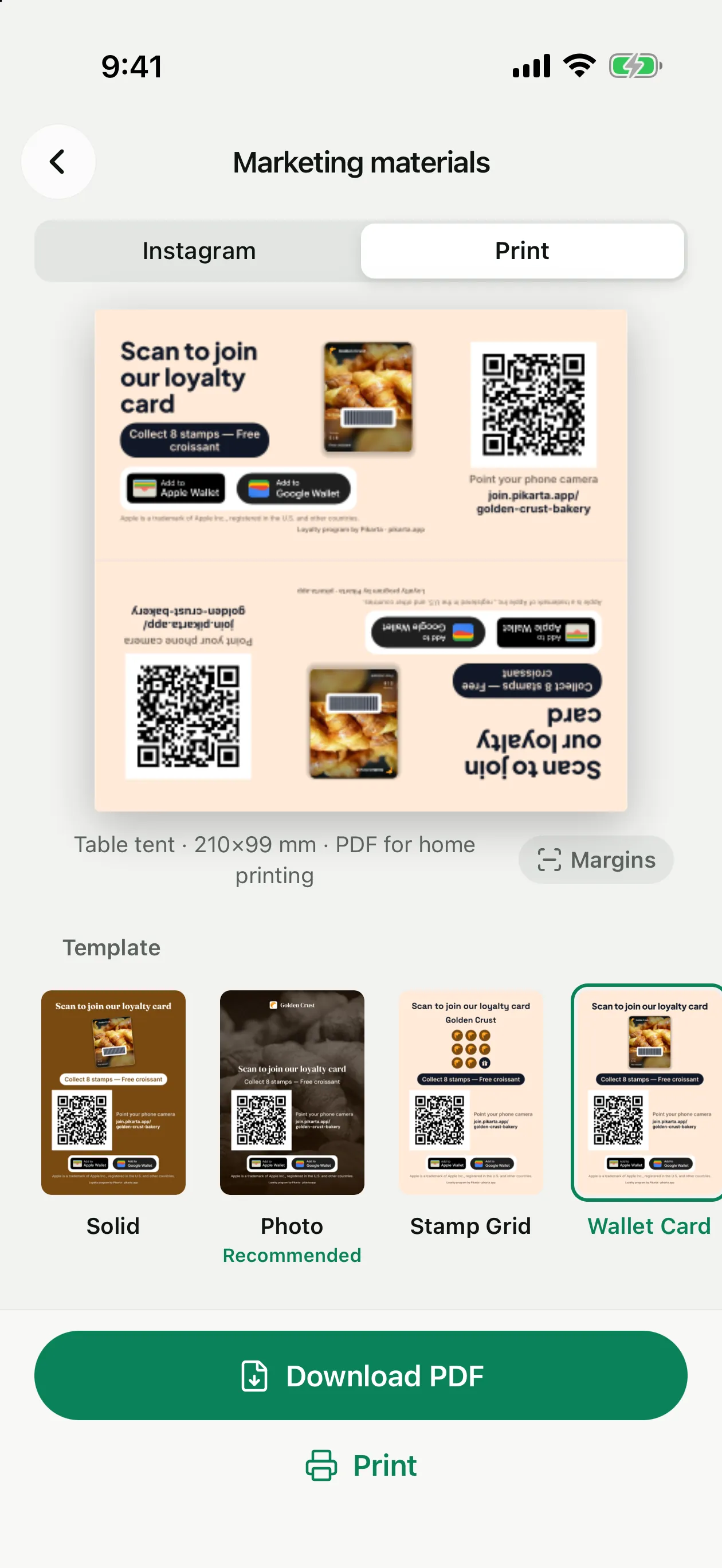
Story or post for Instagram, table tent or stand card for print.
Save or print
Save to Photos and Share for Instagram, Download PDF and Print for print.
Three formats in PNG: Story 1080 × 1920, Post 4:5 and Post 1:1. Social materials have no QR code, because people look at them on the same phone. A Story leaves room for the link sticker (“Tap the sticker”), and a post says “Link in bio” with your join link.
Margins under the preview shows the Instagram safe zone, so nothing important ends up under the profile name or the reply field.
How to fold the table tent
Fold along the grey line
The line between the two sides, printed side out. It becomes the top edge of the tent.
Fold the blank strip under
Fold it inward along the bottom edge of the lower side: it is the base that stands on the table.
Tape the base
Tape the edge of the strip to the bottom edge of the upper side. The tent keeps its shape, and both sides read the right way up.
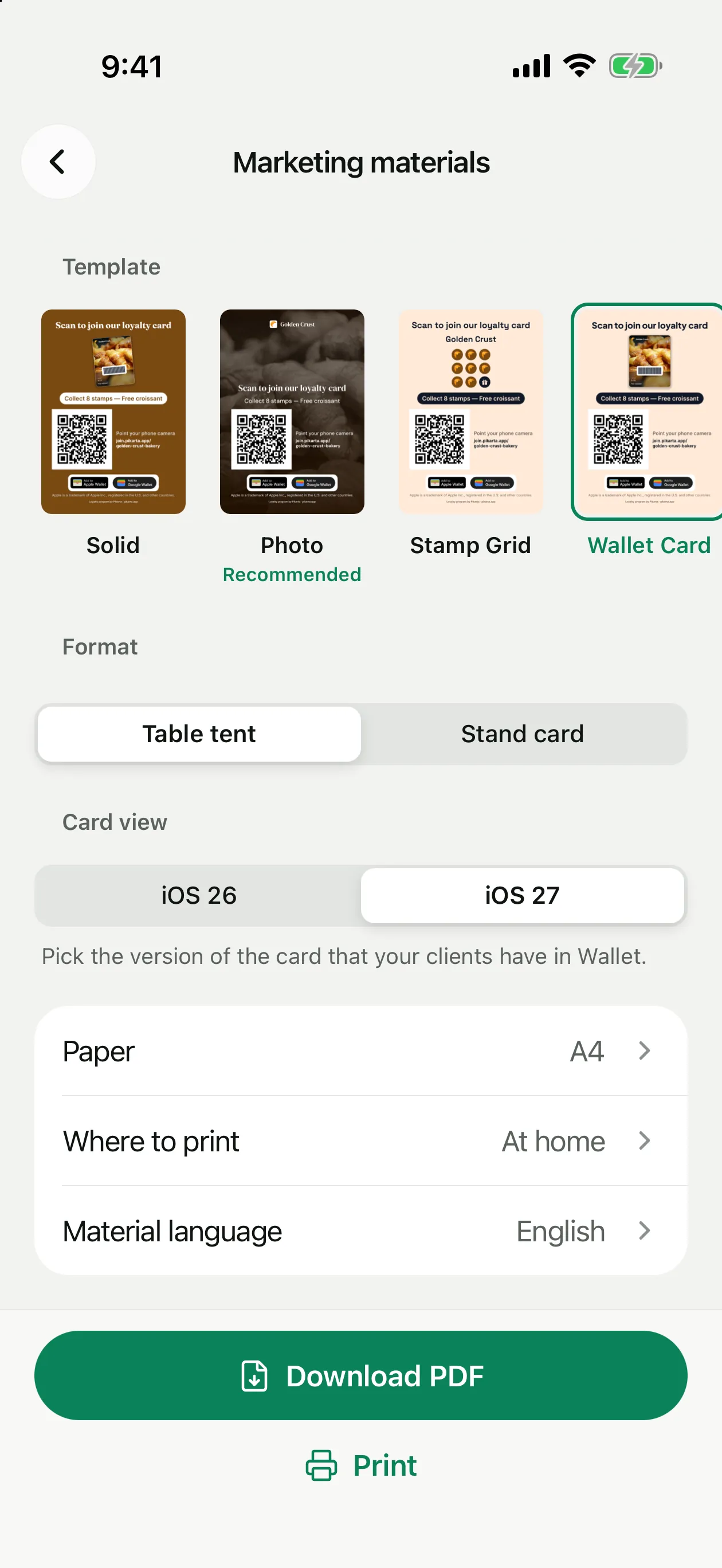
Both carry the QR code that opens your join page. In Where to print choose At home (no bleed, margins from the edge, for a regular printer) or Print shop (3 mm bleed and crop marks). Paper is A4 or Letter.
Templates
iOS 26 or iOS 27 card
Templates that show your card let you choose the Card view: iOS 26 is the classic card with the banner, iOS 27 is the poster. Pick the version that your clients have in Wallet. If the card has no poster yet, the app suggests adding one in the card editor.
Material language
In Material language choose English, Русский, Français, Español (Latinoamérica) or Español (España). Only the text on the materials changes; the app language stays the same.