
Several locations
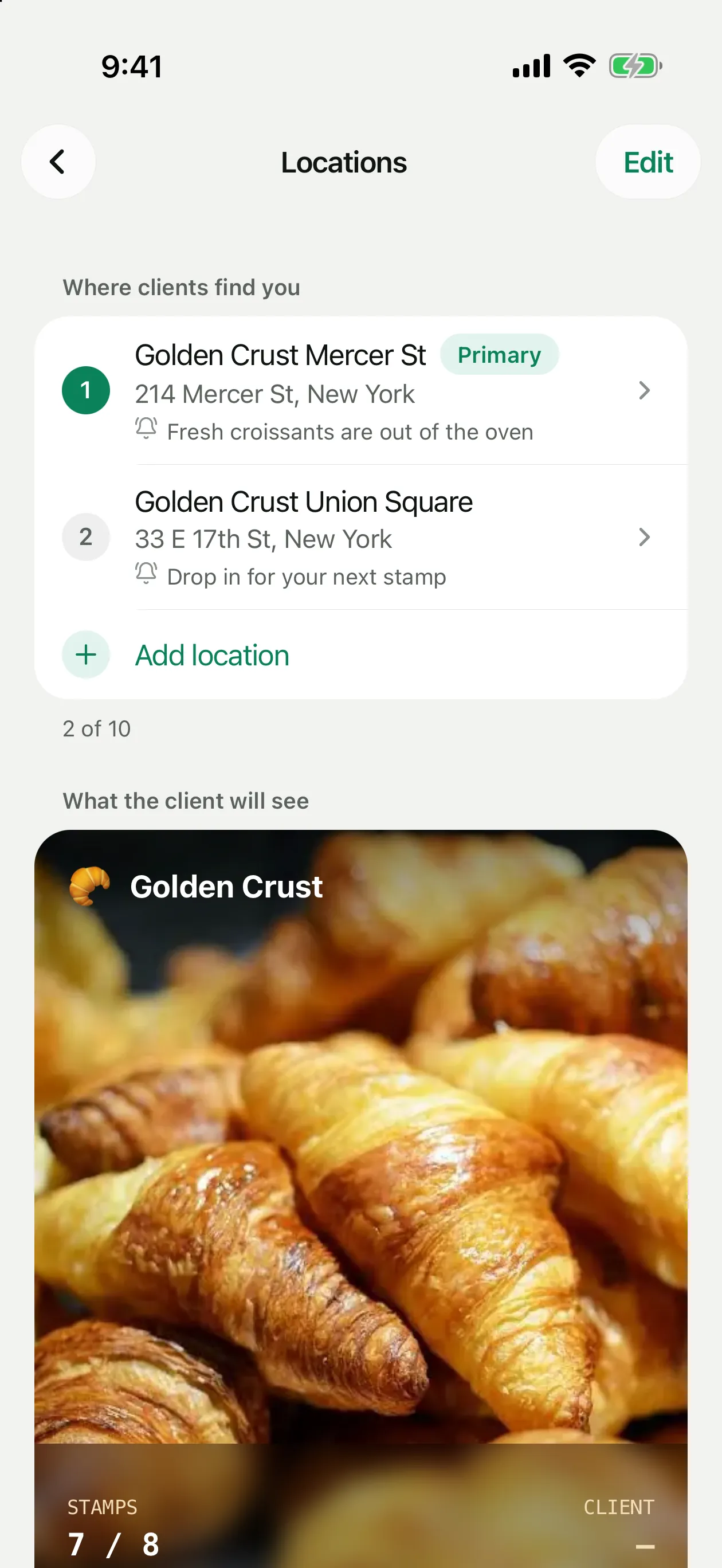
Add every shop or café you run. Clients with your card in Apple Wallet get a reminder on the lock screen when they are near one of them, with the text you choose for each location.
The screenshots show the app in English.
How it works
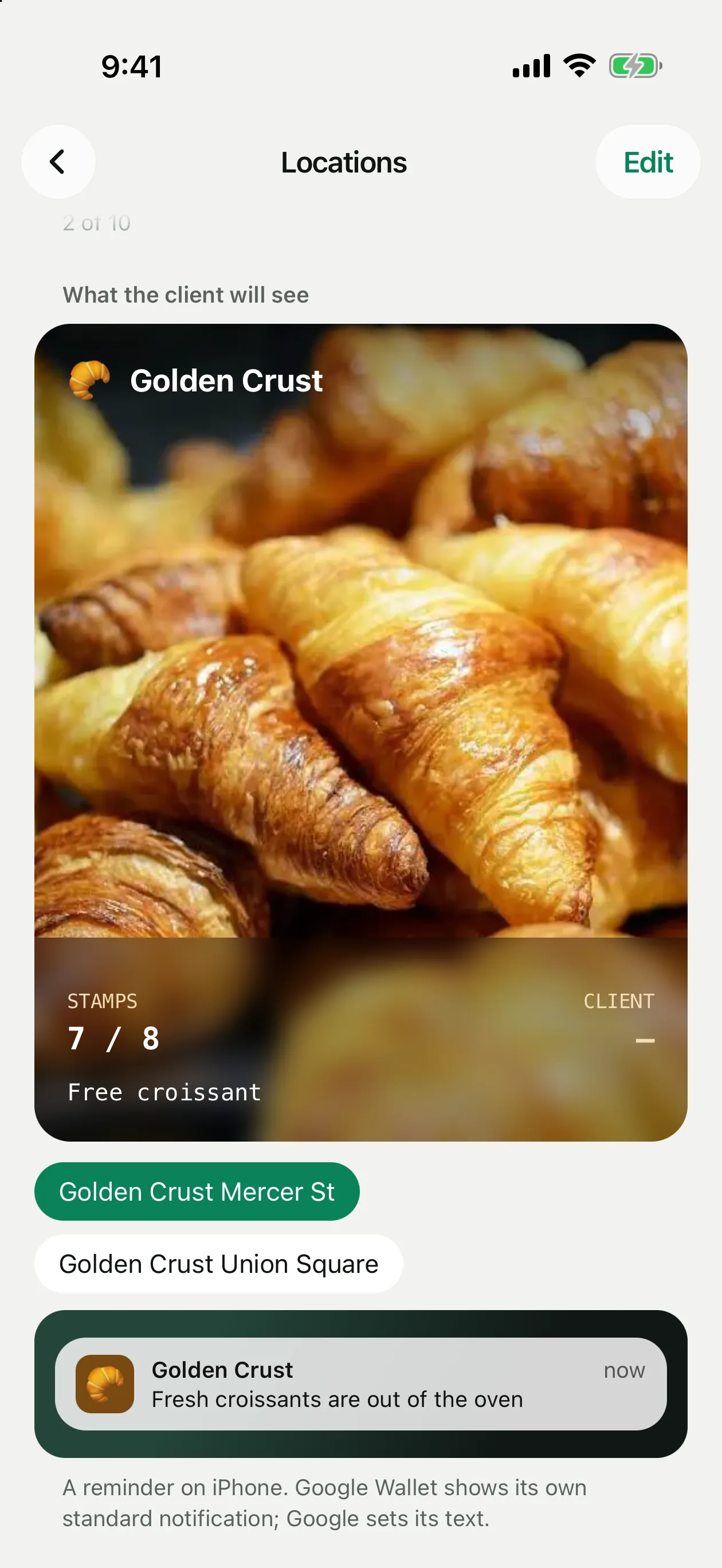
You can add up to 10 locations. Each one has coordinates, an optional name and address, and its own lock screen text. When a client with your card is near a location, iPhone shows the card on the lock screen with your text. There are no mailings and nothing to pay for.
Google Wallet shows its own standard notification near the location; Google sets its text. Every card also gets a link to open your locations in Maps.
How to add a location
Open Locations
Settings → Locations → Add location.
Set the place
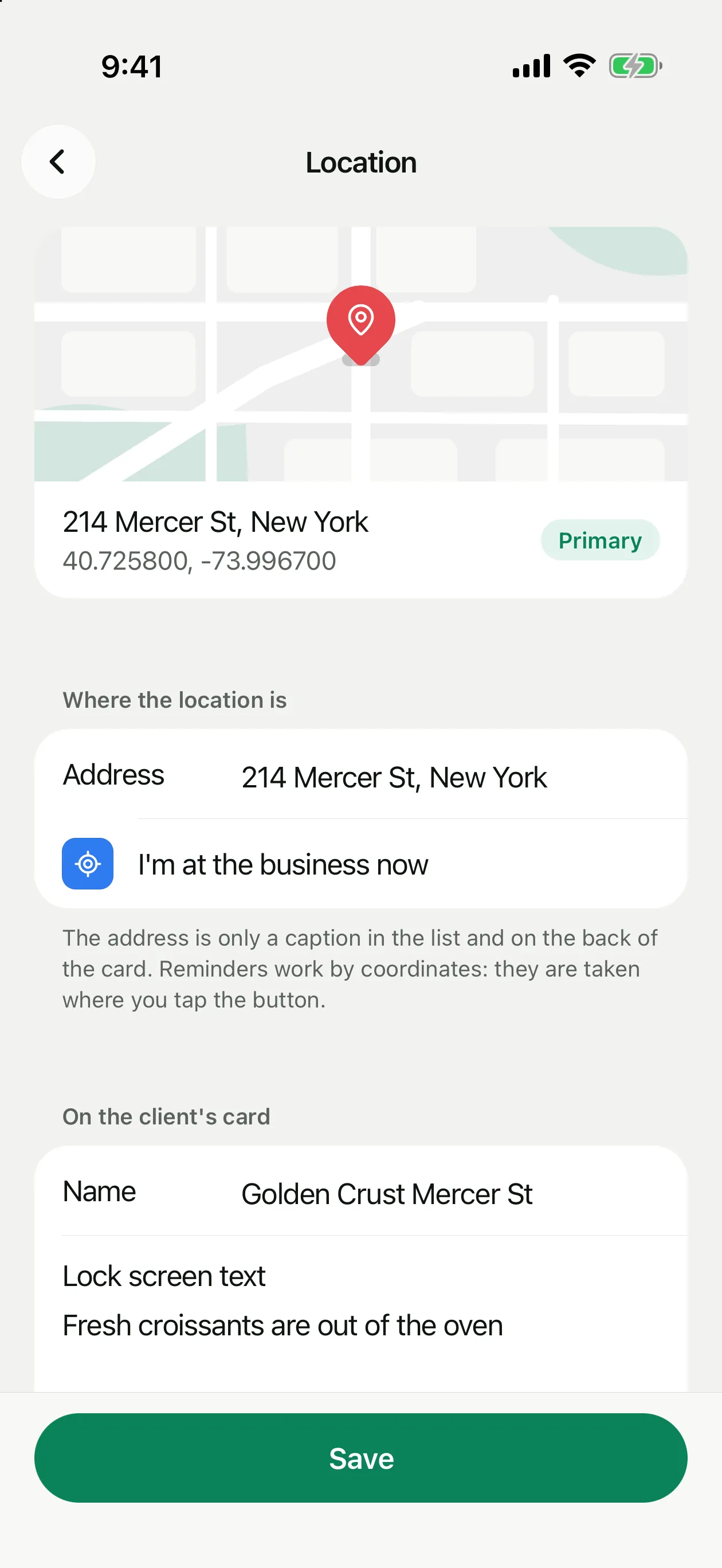
Stand at the entrance and tap I'm at the business now. Reminders work by these coordinates. Allow location access when iPhone asks.
Add the address and name
Both are optional: they are only captions in the list and in the card details. The address doesn't move the point on the map.
Write the lock screen text
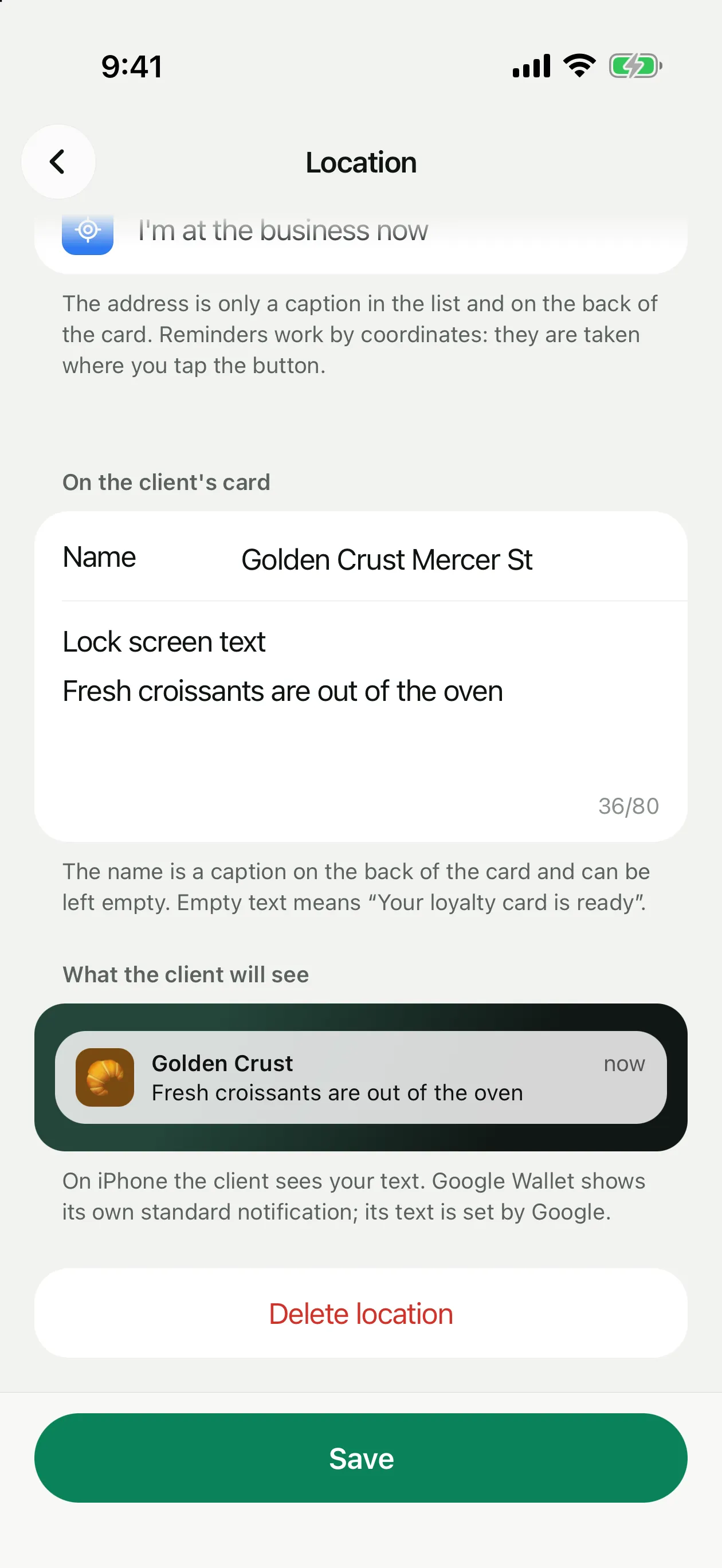
Up to 80 characters, for example “Fresh croissants are out of the oven”. Empty text means “Your loyalty card is ready”.
Save
Cards already issued update on their own.
Primary location and order
The first location in the list is the primary one: it comes first in the card details. To change the order, tap Edit in the top right corner of the Locations screen.
To delete a location, open it and tap Delete location. If you delete the primary one, the next location becomes primary. If it is the last location, lock screen reminders stop working.