
Client groups and offers
Split your clients into groups and send each one its own offer: morning coffee for regulars, a discount for people who haven't visited in a while. An offer can work again and again on a schedule, for example every day from 7:00 to 9:00.
The screenshots show the app in English.
What a group is
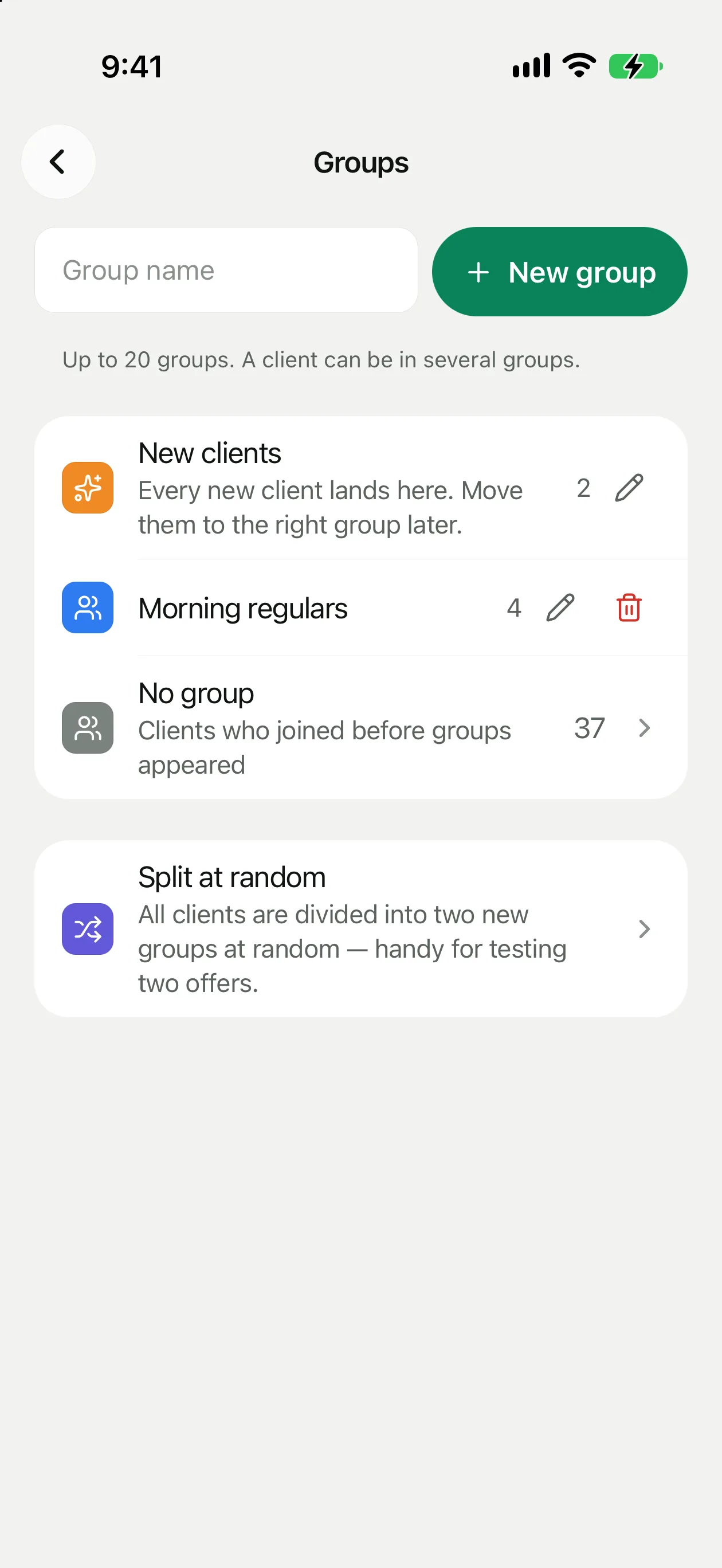
A group is a list of clients you send offers and messages to. You build it yourself, by hand or with a random split. It isn't the same as a segment like “New this week”: segments are counted automatically, while a client stays in a group until you move them.
Groups open from the icon on the Clients tab. The built-in group is always first and has a badge. Tap a group to see its clients.
How to create a group
Open Groups
The Clients tab, groups icon at the top.
Tap New group
Type a name, for example “Morning regulars”.
Add clients
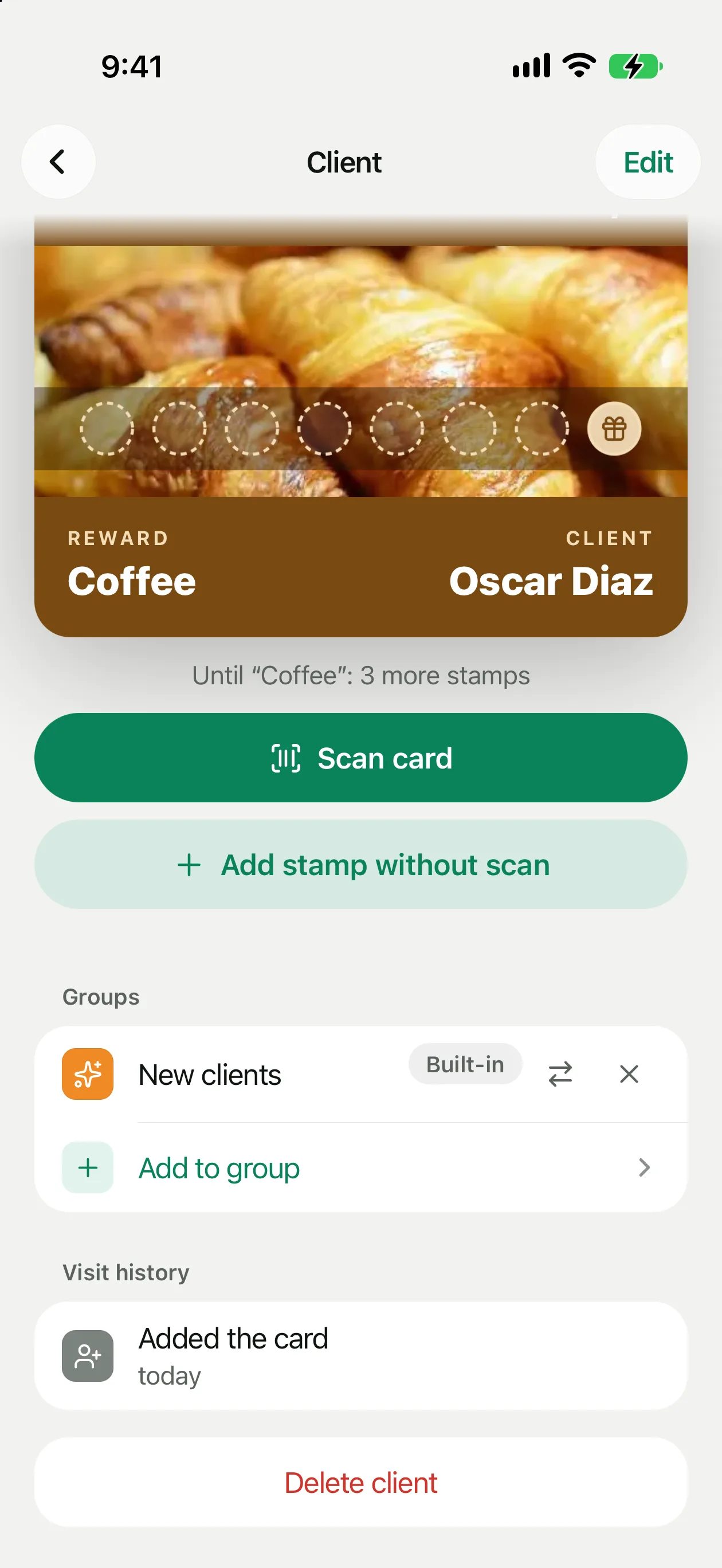
Open a client and tap Add to group in the Groups block. You can also pick several at once in the list, see below.
You can rename a group right in the list, and Delete group is there too. When you delete a group, the clients stay, and so do the offers they already received.
Random split
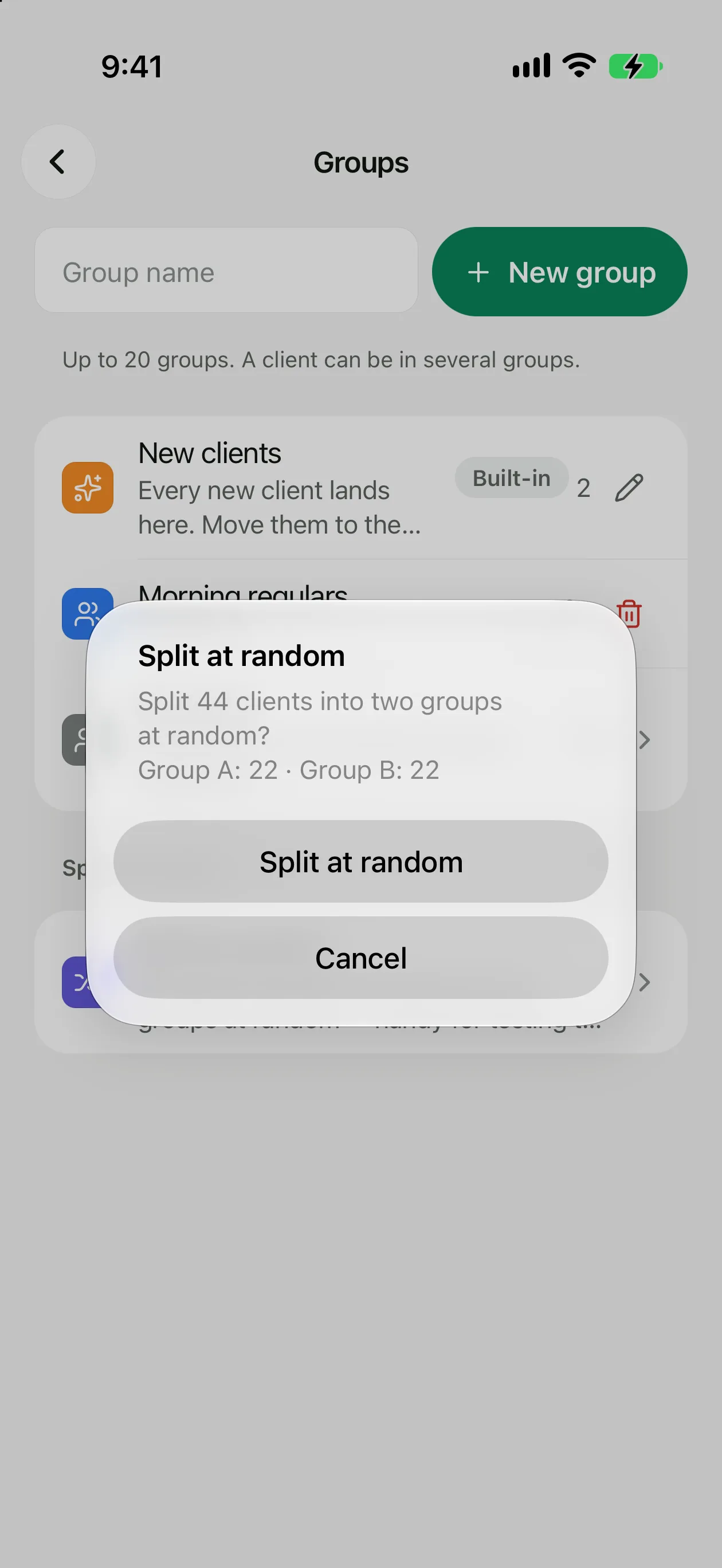
Want to know which of two offers works better? Tap Split at random: all clients are divided evenly into two new groups, Group A and Group B. A client lands in one of them only. You can rename them later.
Send the groups different offers and compare how many coupons were redeemed. The numbers are on the coupon page.
Moving and adding clients
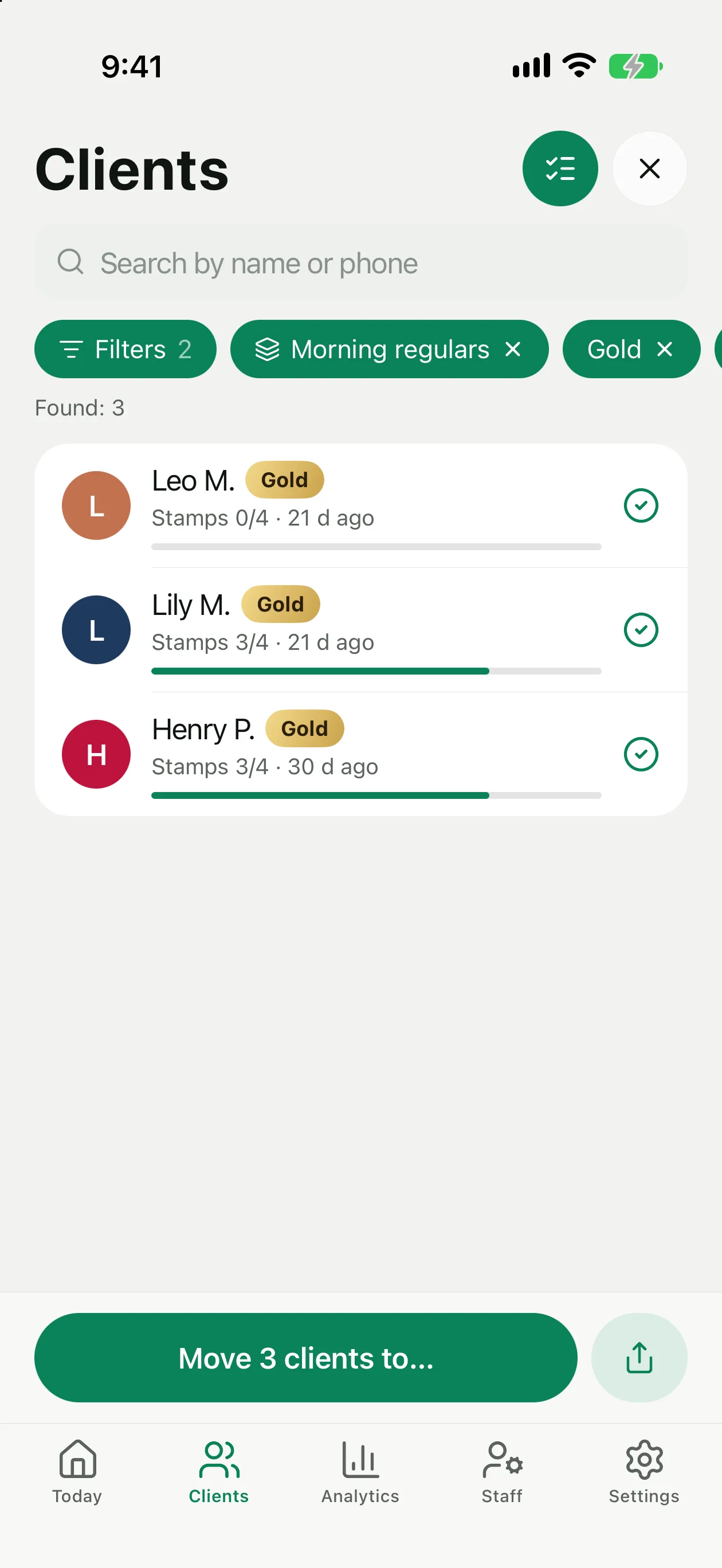
A new client first lands in “New clients” and stays there until you move them to the right group. There are two ways to do it.
Clients who joined before groups existed (before version 2.0) don't land in “New clients”. They are collected under No group: open that filter and move them to the groups you need.
An offer for a group
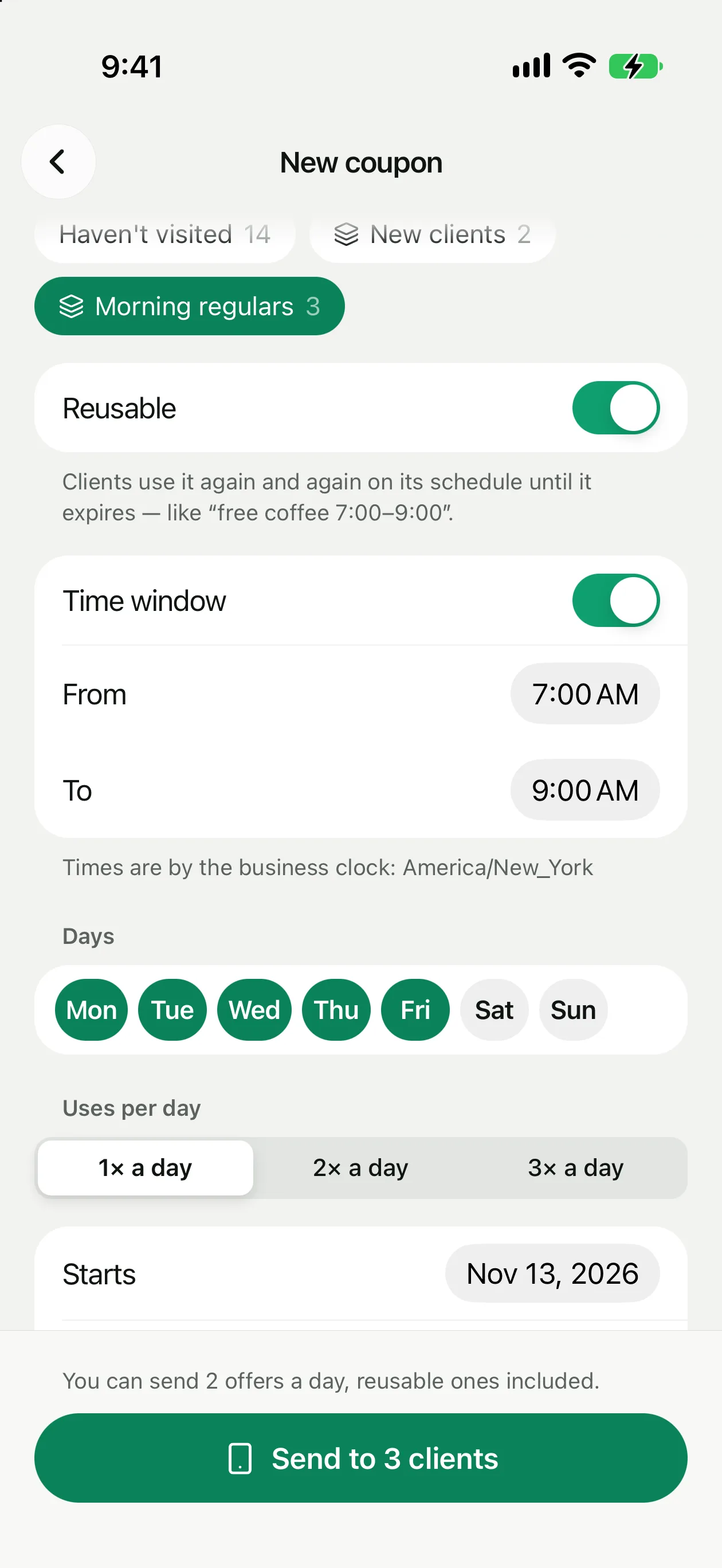
An offer for a group is a coupon whose recipients are a group instead of a segment. Open Coupons → +, choose the group in Send to and fill in the rest as described in Coupons. The coupon can be a regular one-time coupon or a reusable one.
A reusable offer for the New clients group works as a welcome: every new client gets it as soon as they add your card.
Reusable offer
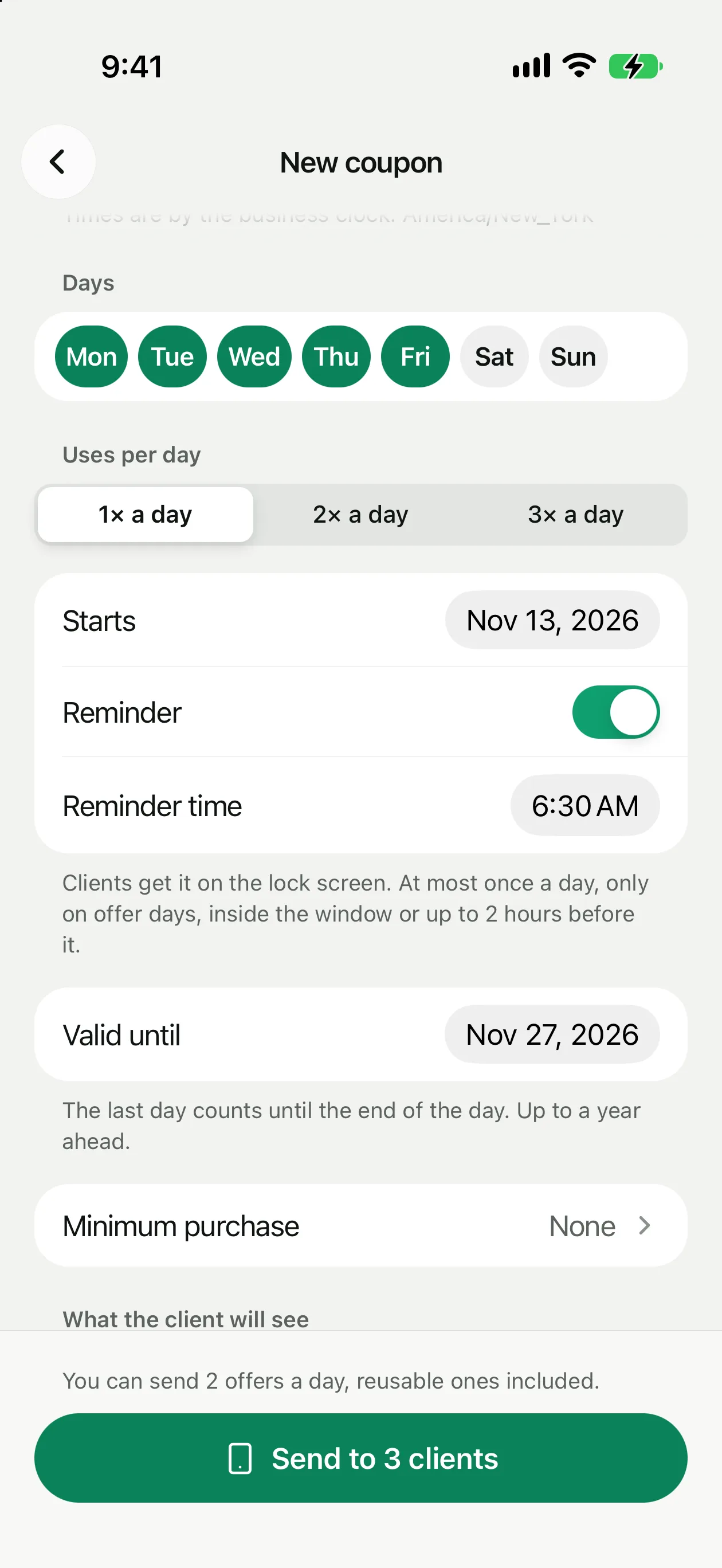
The client uses it again and again on a schedule until it ends, for example “free coffee from 7:00 to 9:00”. Turn on Reusable in the coupon form and set the schedule:
Time follows your business's time zone. The client's card in Wallet shows a line with the schedule, such as “daily 7:00–9:00”. When the client uses the offer, it doesn't disappear from the card.
Lock screen reminder
Want clients to remember the offer? Turn on Reminder, pick a time and days, and the group's clients get a notification such as “Free coffee until 9:00”. The reminder is off by default. To prevent spam, these rules apply:
At the counter
The cashier scans the card as usual. While the window is open, the offer has a Redeem button. Outside the window it shows “Later” and when it opens (“Available from 7:00”), and once the daily limit is used, “Used today”. Every redemption sends you a notification, just like a regular coupon.
A message to a group
You can also send a group a message. Open Campaigns and choose the group as the recipient. The rest is the same as a regular campaign.